





NASBA National Association of State Boards of Accountancy
  • Contact Us
  • About Us
  • Careers
  • Facebook
  • X
  • Instagram
  • Youtube
  • LinkedIn
  • RSS Feed
NASBA National Association of State Boards of Accountancy
  • CPA Exam Applicant
    • Access Your CPA Portal
    • What is a CPA?
    • Applying for the CPA Exam
      • Candidate Guide
      • NASBA CPA Mobile App
      • Exam FAQ
      • Score Information
      • Exam News
    • International Qualification Examination (IQEX)
    • International Education Evaluation (NIES)
      • NIES Requirements
      • NIES Services and Fees
      • NIES FAQ
    • NASBAstore
  • Applicant Resources
    • The NASBA Report on the CPA Exam
    • Accounting Education Research Grants
    • NASBA Center for the Public Trust
      • Student Center for the Public Trust
    • National CPE Sponsors
      • Confirm CPE Sponsor Status
    • Accounting Licensing Library
    • Wall Certificate Service
    • CPE Audit Service
    • Products & Services
  • CPA License Center
    • Access Your CPA Portal
    • Getting Licensed
    • Applying for Your License
    • Experience Verification
    • Maintaining Your License
    • Substantial Equivalency
    • CPA Mobility
    • International Applicants
    • Current Number of CPAs
  • State Board Member
    • Committees
    • Communications & Outreach
    • Legislative Support
    • Peer Review Overview, Tools & Resources
    • Enforcement Tools
    • NASBA Awards
    • Board Gateway Access
    • NASBA Nation
    • Executive Director Portal
  • Member Resources
    • Meetings & Events
    • Publications
    • Research Grants
    • Media & Resources
    • Boards of Accountancy
    • Products & Services
  • Contact Us
  • About Us
  • Careers
  • Facebook
  • X
  • Instagram
  • Youtube
  • LinkedIn
  • RSS Feed
  • Home
  • Blogs/Features
  • NASBA CPA Mobile App Tips and Tricks

NASBA CPA Mobile App Tips and Tricks

SHARE:
    Author: Gia Tims, Communications & Digital Media Specialist
    Posted: Oct. 10, 2025

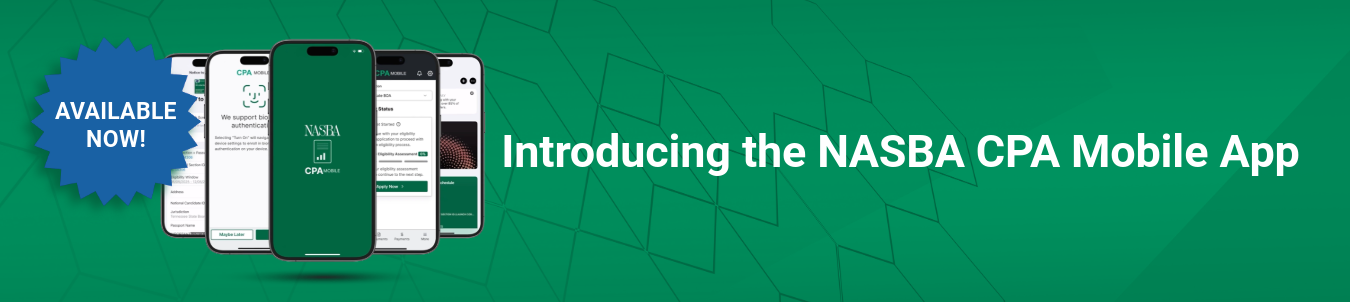
    Have you downloaded the new NASBA CPA Mobile App? Free and available on iOS and Android, the app is built to provide CPA Exam candidates with convenient, mobile-friendly access to Exam preparation, application and status updates.

    So, you’ve downloaded the app – now what? Browse these tips and tricks to get the most out of your in-app experience!

    Add Your Notice to Schedule (NTS) to Your Mobile Wallet:

    Candidates can now add their NTS to their mobile wallet for access on Exam day. Gone are the days of leaving your NTS behind – everything you need is just a few taps away! No cell service? No problem. Candidates will not need to rely on cell service or the NASBA system to access their NTS once it is downloaded to their mobile wallet.

    *Please note that if a candidate issues a name change after they have saved their NTS to the mobile wallet, the NTS will not automatically update. The old NTS must be deleted and the updated NTS must be saved. After an NTS has been used for testing, candidates must manually delete the inactive/used NTS from their mobile wallet.

    Turn on Push Notifications:

    Want to get notifications along your Exam journey? Turn on push notifications when you create your account! Candidates that opt-in will receive notifications on the following:

    -Educational document uploads

    -Eligibility Assessment alerts

    -Eligibility issued

    -NTS issued and available for download

    -Score releases

    Push notifications can be customized by clicking on the gear icon in the top right corner.

    Track the Eligibility and CPA Exam Phase:

    The app provides a status bar to easily track a candidate’s progress throughout the CPA Exam application process. Track your journey through the following phases and steps:

    Step 1: Application for eligibility assessment has been paid/submitted.

    Step 2: All education documents have been received (transcripts and supporting documents if applicable). Eligibility assessment will begin.

    Step 3: Eligibility has been issued (automatically moves to Phase 2 – CPA Exam).

    Once eligibility is issued, the status bar will change to track the candidate’s progress throughout the CPA Exam journey. Passed sections will be reflected in the status bar as well as the remaining sections. The status bar will regress if Exam credit expires. Once three core sections and one discipline section are passed, the status bar will reflect 100%.

    Still haven’t downloaded the app? Click below!

    Apple App Store: https://apps.apple.com/us/app/nasba-cpa-mobile/id6744750346

    Google Play: https://play.google.com/store/apps/details?id=org.nasba.cpamobile

    NASBA Membership
    150 Fourth Ave. North
    Suite 700
    Nashville, TN 37219-2417
    Tel: 615-880-4200
    Fax: 615-880-4290
    • Contact Us
    • About Us
    • Careers
    • Email Signup
    • Privacy Policy
    • Terms of Use
    • Technical Support
    • Accessibility
    • Site Map
    • Cookie Management Center
    Copyright © 2006 - 2026
    National Association of State Boards of Accountancy. All rights reserved.
    CPA Examination Services
    800-CPA-EXAM (800-272-3926)
    International: 615-880-4250
    [email protected]


    IQEX Exams Service

    [contact-form-7 id=”63536″ title=”IQEX Exams Form”]

    CPA Examination Services

    [contact-form-7 id=”63080″ title=”CPA Examination Services Form”]

    International Evaluation Services (NIES)

    [contact-form-7 id=”63081″ title=”International Evaluation Services Form”]

    National Qualification Appraisal Service

    [contact-form-7 id=”63085″ title=”National Qualification Appraisal Service Form”]

    National Candidate Database

    [contact-form-7 id=”63084″ title=”National Candidate Database Form”]

    Licensing

    [contact-form-7 id=”63082″ title=”Licensing Form”]

    National Registry of CPE Sponsors

    [contact-form-7 id=”63086″ title=”National Registry of CPE Sponsors Form”]

    Press Inquiries

    [contact-form-7 id=”63087″ title=”Press Inquiries Form”]

    Website Inquiries

    [contact-form-7 id=”63089″ title=”Website Inquiries Form”]

    Candidate Care

    [contact-form-7 id=”63069″ title=”Candidate Care Form”]

    NASBA Experience Verification

    [contact-form-7 id=”63083″ title=”NASBA Experience Verification Form”]

    Testing Accommodations

    [contact-form-7 id=”63088″ title=”Testing Accommodations Form”]

    CPA Exam

    [contact-form-7 id=”63079″ title=”CPA Exam Contact Form”]

    Cookie Management Center
    We use cookies to enhance the website experience and analyze performance and traffic on our website. Some cookies are essential to make our website work; others help us improve the user experience. Select "Accept All Cookies" to allow all uses of these cookies, "Decline Non-Essential Cookies" to limit cookies that are not required, and "Accept Selected Cookie(s)" to proceed with the currently toggled options. You can update your cookie preferences at any time. Read our privacy policy to learn more. Privacy Policy
    Necessary

    These cookies are necessary for the website to function properly and cannot be switched off. They help with setting your privacy preferences, logging in or filling out forms, using our chat support, or managing the security of our website.

    Analytics

    These cookies help us improve the website by tracking which pages are most and least popular and how visitors move around our website. By accepting these cookies, you are helping us to improve our website.

    Cookie consent

    We use cookies to enhance the website experience and analyze performance and traffic on our website. Some cookies are essential to make our website work; others help us improve the user experience. Select "Accept All Cookies" to allow all uses of these cookies, "Decline Non-Essential Cookies" to limit cookies that are not required, and "Customize Cookies" for more options. You can update your cookie preferences at any time. Read our privacy policy to learn more.

    Privacy Policy
    NASBot Chat Logo NASBot